Different server clocks make it difficult to put logs from the same operation in order. An internal time server gives clients a common source to follow. Configure chronyd and verify the source and response state, distinguishing an upstream-backed server from a disconnected local time reference.
In Rocky Linux 9, chronyd in the chrony package sets the time, and chronyc checks the status. An internal NTP server connected to the Internet and A closed network server without external standards have different settings purposes. First, we create an internal configuration by synchronizing it with external standards, and separately organize the parts that need to be changed in the closed network.
On this page
Server and client configuration
NTP (Network Time Protocol) is a protocol that sets the clock over the network. In the example below, only the time server communicates with the external NTP, and the internal clients look at 192.168.10.20.
| Category | Name/Address | role |
|---|---|---|
| internal time server | ntp.lab.com / 192.168.10.20 | Rocky Linux 9 provides UDP 123 |
| client | node1.lab.com / 192.168.10.30 | Synchronize with internal time server |
| allowed network | 192.168.10.0/24 | Band to allow time query |
| Top Time Source | 2.rocky.pool.ntp.org | Internet connection example, alternative if there is an in-house standard |
Change the IP address to suit your network. The server requires a static IP and sudo permission. ntp.lab.com is an example name for lab.com Internal DNS Configuration Post, here we use IP for client setup so we can proceed without DNS. lab.com is not a reserved example domain, so this name is only used in isolated lab networks.
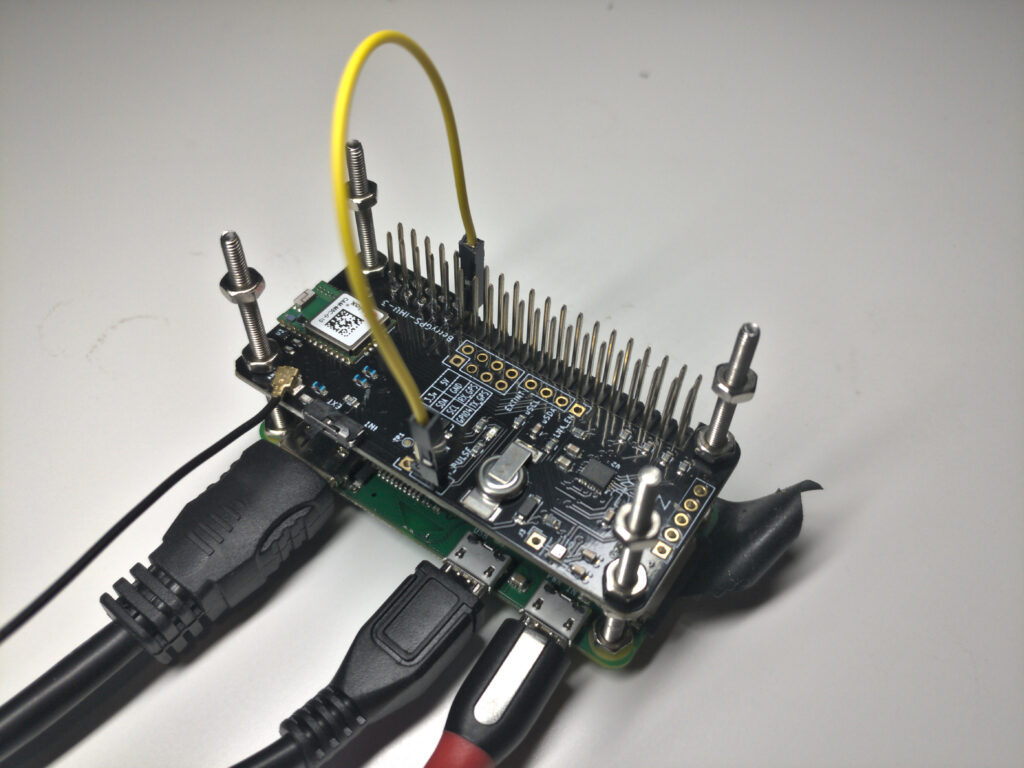
The representative photo is a reference photo of a separate NTP device using Raspberry Pi and a GPS board. This article configures chronyd on a Rocky Linux server without a GPS/PPS device and does not introduce the photographer’s device as a practice server.
1. Install package and check current time
The command below runs on the time server. The time zone is displayed on the screen, and NTP synchronization is the process of adjusting the clock itself. Changing to the Seoul time zone does not correct clock errors.
sudo dnf install -y chrony
rpm -q chrony
timedatectl
sudo timedatectl set-timezone Asia/Seoul
sudo cp -a /etc/chrony.conf /etc/chrony.conf.before-local-ntp
sudo systemctl status chronyd --no-pager
If you have an existing backup, save it with a new name. If you are already using another time synchronization daemon, clean it so that it does not calibrate its clocks at the same time as chronyd. For servers in operation, a significant change in time may affect job scheduling or databases, so set a change point.
2. Set up an internal server that synchronizes with an external reference
Open the file with sudo vi /etc/chrony.conf. You can use the configuration below on your new lab server. If it is an existing server, the relevant items are merged while preserving necessary settings such as keys, NTS, and logs.
pool 2.rocky.pool.ntp.org iburst

driftfile /var/lib/chrony/drift
makestep 1.0 3
rtcsync

allow 192.168.10.0/24
bindaddress 192.168.10.20

keyfile /etc/chrony.keys
leapsectz right/UTC
logdir /var/log/chrony
pool specifies the pool from which multiple time server addresses can be obtained. If you have an in-house approved higher NTP, replace this line with server ... iburst for your physical address. iburst sends queries in bundles when first communicating to speed up initial measurements. You can check the difference between the default source and server·pool in Rocky Linux chrony guide.
allow allows NTP queries from internal clients, and bindaddress specifies the local address to provide NTP service. This is not a setting that fixes the starting address of queries going out to the upper server. The roles of both items are described in the chrony setup document.
driftfile stores the tendency of the clock to speed up or slow down, and rtcsync allows the Linux kernel to reflect the system time in the RTC. makestep 1.0 3 allows the time to shift in one go if the error exceeds 1 second in the first three clock updates after chronyd starts. You should not think of this as simply a setting for smooth correction.
Do not put local stratum 10 in this configuration. This is to prevent internal clients from accepting a server that is not yet synchronized with the external standard as the normal standard. The provision status after the parent source is disconnected varies depending on error estimates since the last synchronization, and does not necessarily stop immediately upon disconnection or maintain accurate time indefinitely.
3. Grammar check and allow UDP 123
Check grammar before applying settings. -p prints settings and exits and does not change the system time.
sudo chronyd -p -f /etc/chrony.conf
sudo firewall-cmd --get-active-zones
Select the zone from which client traffic comes from the server using firewalld. The following is the case of public. Change if the actual zone is different.
sudo firewall-cmd --permanent --zone=public --add-service=ntp
sudo firewall-cmd --reload
sudo firewall-cmd --zone=public --query-service=ntp

sudo systemctl enable --now chronyd
sudo systemctl restart chronyd
sudo systemctl status chronyd --no-pager
sudo ss -lunp '( sport = :123 )'
ntp service accepts UDP 123. The client’s query and response must pass through the firewall, and the Internet connection method must also allow UDP 123 from the time server to the upper NTP. If you use a separate firewall, apply that policy. SELinux remains in its default state.
Providing time does not require cmdallow or UDP 323 open. Number 323 is for remote status inquiry of chronyc and is separate from allowing NTP queries. In this article, we will run administrative commands on each host.
4. Verify that the time server has selected the parent source
Synchronization completion is not determined solely by the service execution status. The time server checks the following:
chronyc -n sources -v
chronyc tracking
chronyc activity
The row with sources -v through ^* is the currently selected NTP server. ^+ is another source used for combining, and ^? cannot be selected yet due to unreachability, unsynchronization, lack of measurement, etc. If it is right after starting, wait for a few measurements and then take another look.
Reach displays the recent response history in octal. 377 means that all eight recent queries have been answered, and it does not have to be this value right from the start. In tracking, check the actual Reference ID, Stratum, and error information along with Leap status. Each item is interpreted based on the chronyc status output document.
In the Internet connection configuration, the parent source is selected and Leap status is verified to be Normal before moving on to the client. If Not synchronised continues, check DNS lookup, parent server access policy, UDP communication and logs.
5. Rocky Linux client settings
This time, run it on the 192.168.10.30 client. Retains existing settings after installing the package.
sudo dnf install -y chrony
sudo cp -a /etc/chrony.conf /etc/chrony.conf.before-internal-ntp
sudo vi /etc/chrony.conf
Set as follows to use only the internal time server. An external server may be selected by leaving the default pool or another server line together. Also check the sources loaded as existing include, confdir, and sourcedir to exclude unintended time sources.
server 192.168.10.20 iburst

driftfile /var/lib/chrony/drift
makestep 1.0 3
rtcsync

keyfile /etc/chrony.keys
leapsectz right/UTC
logdir /var/log/chrony
The client does not provide time to other hosts, so it does not add allow, bindaddress, and local. In a typical stateful firewall, there is no need to open the incoming ntp service just for NTP clients.
sudo chronyd -p -f /etc/chrony.conf
sudo systemctl enable --now chronyd
sudo systemctl restart chronyd
chronyc -n sources -v
chronyc tracking
^* 192.168.10.20 should be selected in the client’s source list. Make sure you select External Source on the server and Internal Server on the client separately. Successful ping or date output from both servers alone does not confirm NTP synchronization.
Once your DNS is ready, you can replace it with server ntp.lab.com iburst. In this case, first check whether getent hosts ntp.lab.com points to 192.168.10.20. The VM also checks to see if the hypervisor or guest tools are periodically forced to adjust the time.
6. Use local standards in closed networks without Internet.
In a closed network without external standards such as NTP or GPS, the internal time can be set based on the clock of one server. This is to ensure that the servers use the same time, and there is no guarantee that the time exactly matches the actual UTC. chrony’s local directive ensures that the reference time is provided to the client even if it is not synchronized with the outside.
If you choose this method, replace the settings for your time server’s preceding Internet connection with the following configuration: Remove or comment out external pool·server and dynamically loaded time sources. The client settings remain the same as the internal server IP designation in the previous section.
driftfile /var/lib/chrony/drift
makestep 1.0 3
rtcsync

local stratum 10
allow 192.168.10.0/24
bindaddress 192.168.10.20

keyfile /etc/chrony.keys
leapsectz right/UTC
logdir /var/log/chrony
stratum represents the tier up to the reference clock and is not a score of accuracy. Where 10 is the local reference layer value. Typically, clients following this server will display a stratum one level higher than that. In operations, we first review whether accurate external standards can be secured.
Closed network servers must provide the initial time after adjusting it to a reliable separate standard. The following commands only run during preparation or maintenance times when you have not yet connected the service. In place of the date, do not copy a fixed example value, but enter the actual current time confirmed at the time of execution.
sudo systemctl stop chronyd
sudo timedatectl set-time 'YYYY-MM-DD HH:MM:SS'
sudo hwclock --systohc
sudo chronyd -p -f /etc/chrony.conf
sudo systemctl start chronyd
chronyc tracking
YYYY-MM-DD HH:MM:SS is a placeholder to be replaced, not a value to be executed as is. Enter based on the time zone set in timedatectl. In environments that do not support RTC writing, such as virtual machines, check whether step hwclock is applicable. We separately check whether the standard time is maintained even after rebooting and how much error occurs during long-term isolation.
The sources list of time servers may be empty because there is no parent NTP on a local basis. Even if Normal appears in tracking, it should not be interpreted to mean that the external standard has been met. Instead, it manages whether the client selected 192.168.10.20 together with the server’s reference time. Don’t inadvertently add this setting to your regular configuration to hide your Internet outage.
Client access and failure verification
Check whether it is allowed and recent access on the time server with the following command: clients is displayed when client logging is enabled, as is the default setting.
sudo chronyc accheck 192.168.10.30
sudo chronyc clients
sudo journalctl -u chronyd -n 80 --no-pager
accheck only checks chronyd’s access permission rules and does not check actual firewall passage or round-trip communication. The client should see sources and tracking together.
| symptoms | Where to check |
|---|---|
The server is Not synchronised | Interpret the parent name, UDP number 123, wait for measurement, and if it is a closed network, set the intended local |
The client’s Reach continues to be 0 | Server IP, allow, receiving address, server/intermediate firewall |
^? keeps showing up | Response history as well as server synchronization status and measurement/selection conditions |
| External server selected instead of internal server | The remaining pool·server, include files and DHCP sources on the client |
506 Cannot talk to daemon | chronyd status and local socket of the host that executed the command |
After modification, check with chronyd -p and apply with systemctl restart chronyd. chronyc reload sources is a command that rereads the source file, so it is not written instead as a command that rereads the entire general settings.
If you run chronyc makestep to immediately reduce large errors, the time may change forward or backward at once. First, check whether a trusted source is selected and what the service implications are. Normally, we operate by observing the selected source and error trends.
Confirmation range: Official document confirmed on October 23, 2026. We verified the server/client configuration syntax and NTP response based on closed network local standards in Rocky Linux 9 containers. The container ran in a way that did not change the host clock. Actual system time correction, RTC, firewalld·systemd, and post-reboot operations must be checked separately on the entire VM.